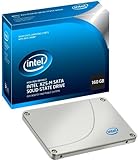
Historically, I have purchased the best hardware available in an effort to improve my productivity. So, I when I transitioned from a desktop with a 15k rpm nine years ago to a notebook with a 5,400 rpm drive, the performance hit was a real disappointment. Hence, I was more than happy to spring for a an Intel X25-M to make my HP Elitebook Mobile workstation even faster. Generally, I have been happy with the performance of X25-M but not astounded like other users.
The principle reason I have spent so much on hardware is to improve the performance of one particularly disk- and processor-intensive application -- X1, which is a real-time, fast-as-you-type indexing application. Over the years, it has felt like an arms race: I get better and better hardware but the volume of indexable documents keeps increasing, slowing down X1 and overall operation of the computer. Meanwhile, Microsoft chooses to make increasingly bloated software necessitating ever faster hardware. My latest notebook is an HP Elitebook mobile workstation with x9100 3.06 GHZ dual core processor, 4 GB of RAM, and a 7200 rpm drive running on Windows Utimate 64 bit. Out of the box, it seemed oddly sluggish on occasions due to either X1 or some application that HP installed. Given the specs and the cost of the notebook, I was a bit surprised it wasn't faster. Wanting to avoid the hassle of purchasing another extremely expensive notebook, I decided the simplest approach to improving overall performance would to purchase the X25-M.
My two major reasons for hesitating to purchase the X25-M were the meager 160 GB capacity and unpleasant memories of upgrading drives in the past. Remarkably, the installation was painless using Acronis true image using only my HP notebook. Moreover, Acronis offers a fully functional free demo that worked without a hitch. I did need to purchase an external USB/eSata enclosure (Acomdata Tango) to connect to my existing notebook to complete the process, however. This too worked without a problem. In total, I was pleasantly surprised at how easy the process given that no second computer was used.
While I haven't precisely timed various operations, the X25-M is clearly faster than the previous 7200 rpm drive. However, I haven't been overwhelmed by the performance like other users. There is still some hesitation when opening large files. Also, Windows 7 Ultimate takes a significant amount of time to load even though it is faster than with the 7200 rpm drive. Note this is even with disabling many services and startup applications. Truthfully, I have to wonder if it has something to do with software HP installed or just the bloated operating system.
There are some noticeable improvements. Most Office documents open much faster (2-3x). Critical for my particular situation is that X1 ties up the computer much less frequently. The initial indexing and optimizing (275k documents and 126k email messages) is significantly faster, perhaps as much as 3x. Opening 100 MB Filemaker databases is easily 3x faster. Creation of new records in Filemaker is similarly as fast.
My overall opinion is that the X25-M is an excellent SSD albeit at significant expense and with less than ideal capacity. If cost isn't a problem but space is, I would suggest relocating files to an external drive to free up some space. The cost/space/performance tradeoffs make the investment worthwhile.
Pros
Very fast, uniquely fast for certain applications
Easy installation
Shock resistant
No defragmentation necessary
Cons
160 GB too small enough
Expensive
Could be even faster
System
HP Elitebook Mobile Workstation 8530w
X9100 Dual Core Processor @ 3.06 GHz
4 GB RAM
7200 RPM drive upgraded to 160 GB X25-M
Windows Ultimate 64 Bit
Get more detail about Intel 160 GB X25M Mainstream SATA II Solid State Drive (SSD) Retail Package SSDSA2MH160G2R5.

No comments:
Post a Comment