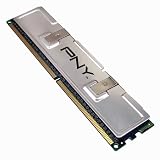
I bought two pairs of the PNY Optima's, one for my Dell E510 and the other for my Dell E521.
When I opened the Dell E510 (Intel Processor), I realized the "Channel A" memory slots (DIMM_1 & DIMM_2) were not next to each other but were physically separated by a "Channel B" memory slot (DIMM_3). If it weren't for the white securing clips and previous matched pair of 512MB memory I might not have known what was the "Channel A" memory slots. So I moved the preexisting matched pair of 512MB (PC2-4300 533MHz) memory from the "Channel A" slots to the "Channel B" slots and installed the matched pair of 1GB (PC2-5300 667MHz) PNY's into the "Channel A" slots. Once I started the computer, I instantly wanted to make sure the computer recognized the memory and went into the BIOS. I did this since I moved the preexisting memory AND I installed new memory with a higher clock speed capability (667MHz versus 533MHz). I had to trust that the PNY would work, but I had to verify the motherboard would work with them also. Thankfully the motherboard recognized all the memory and did not show any conflicts. And I resumed the boot in to Windows and no issues there either; it went straight to the Windows login screen.
When I opened the Dell E521 (AMD Processor), I saw that the "Channel A" memory slots were actually next to each other as I expected with the previous matched pair of 512MB (PC2-5300 667MHz) memory. As before, I moved the preexisting matched pair of 512MB memory from "Channel A" to "Channel B" and installed the PNY's into "Channel A." Again, I instantly went into the BIOS to make sure the computer recognized the memory. The computer did recognize the memory and so I resumed the boot in to Windows. However, this time on the Dell E521 it didn't get to the Windows login screen. And after about 30-minutes of moving the memory around I figured I needed to see if I could even get Windows to recognize the memory. So I put the memory in how I wanted it, PNY 1GB's into "Channel A" and preexisting 512MB's into "Channel B" and booted into the Windows Safe Mode by pressing "F8" multiple times after the BIOS screen. Low and behold, Windows gave me a "New Hardware Found" dialog box and indicated it was memory. Therefore, I rebooted to get out of the "Safe Mode" and Windows went straight to the Windows login screen.
So now both PC's are working wonderfully with a total of 3GB of memory and both are using the memory at different speeds (533MHz versus 667MHz) without issues.
Note: I moved the memory because the computer tries to utilize the "Channel A" memory first and having a larger amount of memory there means my computers would run "better" even though all the manufacturer instructions explicitly told me not to do it. In addition, what happened on the Dell E521 could have been narrowed down to just the addition of memory as a single change versus multiple changes like I made...maybe they knew what they were talking about. ;-)Get more detail about PNY OPTIMA 2GB DDR2 667 MHz PC2-5300 Desktop DIMM Memory Module MD2048SD2-667.

No comments:
Post a Comment